
A proper Lua editor
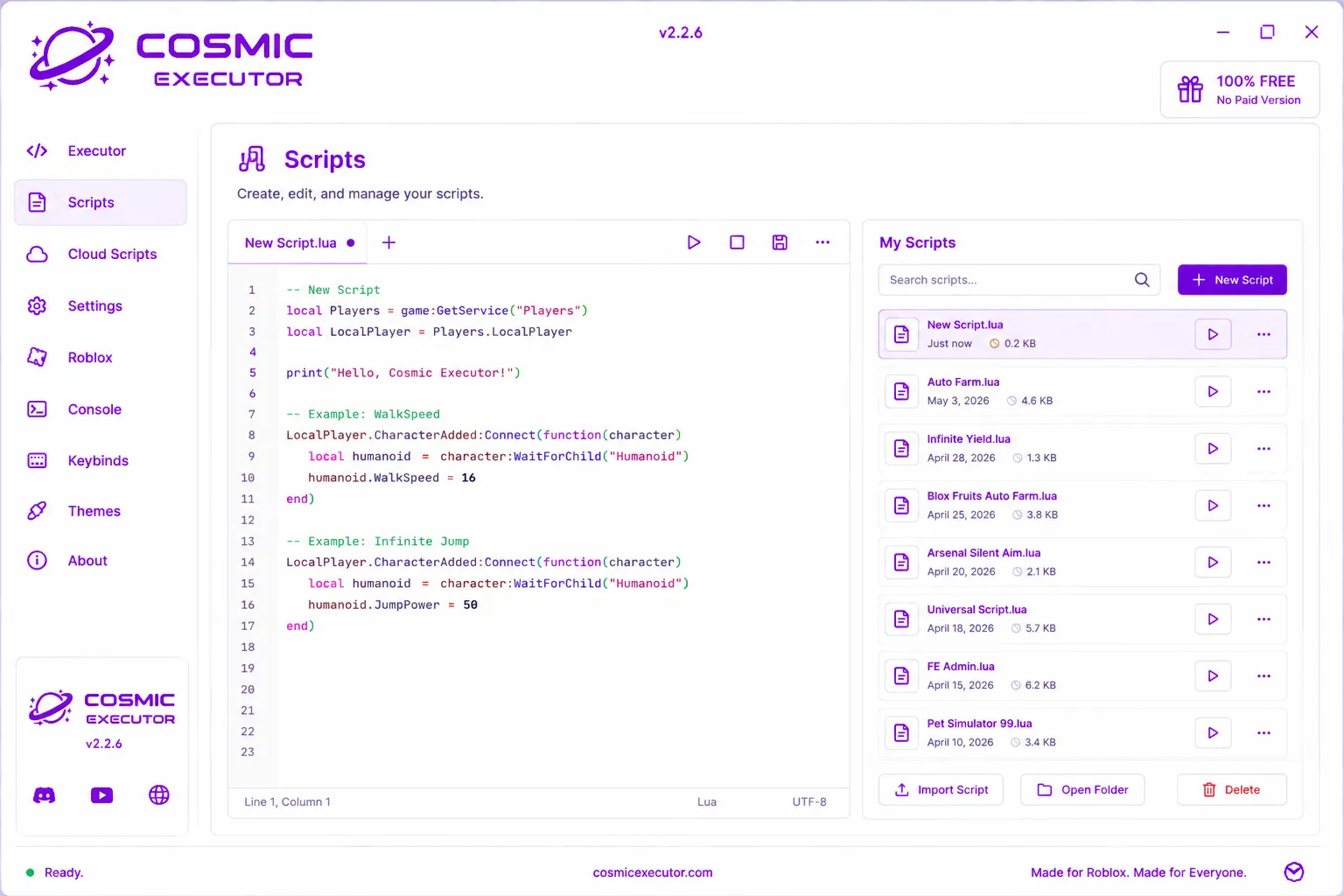
You get syntax highlighting, line numbers, multiple tabs and a font you can actually change. Write your script, spot the errors, and run it with the Execute button or F5. It feels like a small IDE, not a plain text box.
This is the official Cosmic Executor website. It's a free Roblox executor that runs on Windows, Android, Mac and iOS. Open it, inject into your game, and run whatever Lua script you want. You get a real code editor for your own scripts plus a library of 1,200+ ready-made ones. No key system, no paid version, no catch.
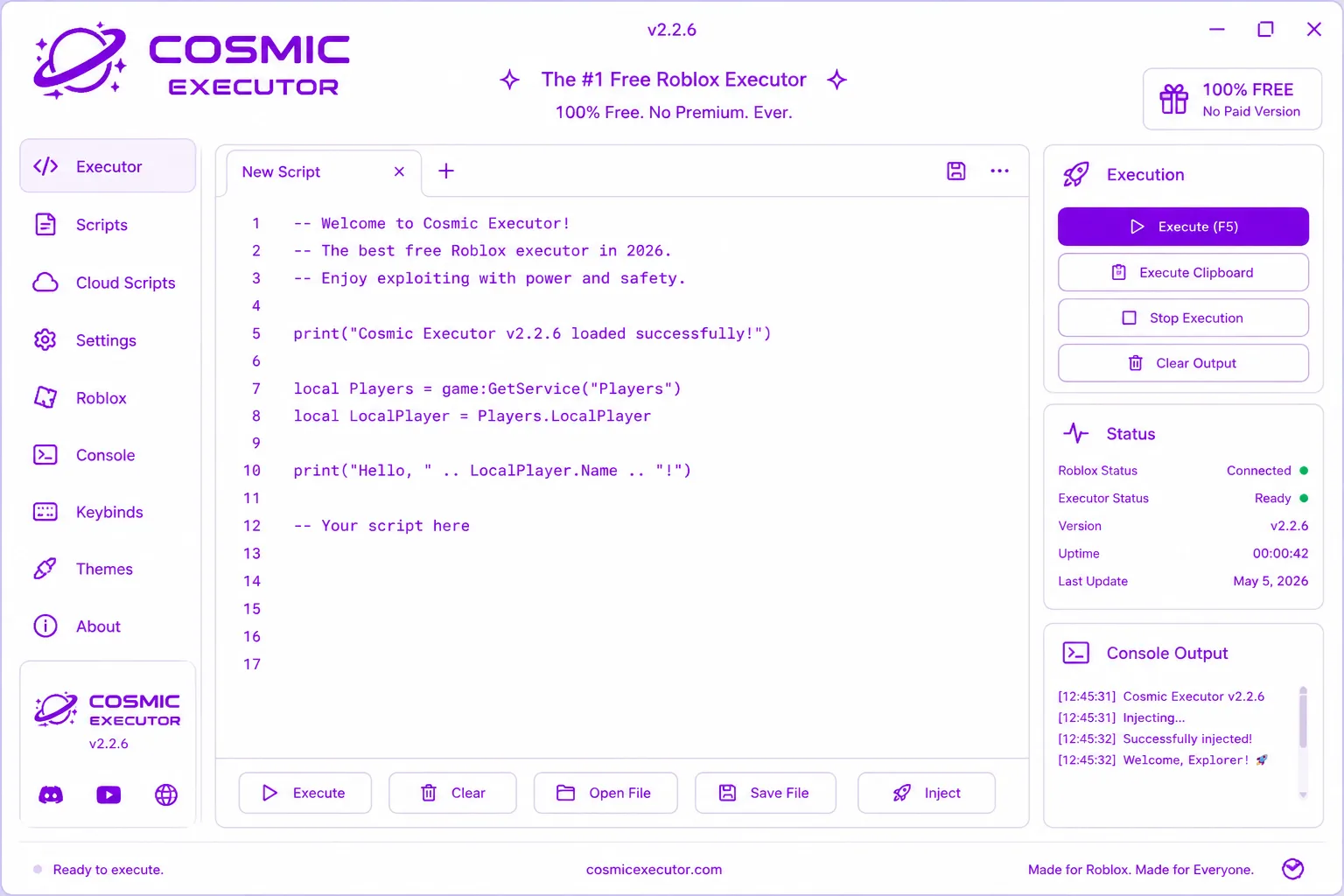
Most free executors are either bare-bones or buried under key sites and ads. Cosmic gives you a proper editor, a one-click injector and a big script library, and it stays free.
You get syntax highlighting, line numbers, multiple tabs and a font you can actually change. Write your script, spot the errors, and run it with the Execute button or F5. It feels like a small IDE, not a plain text box.
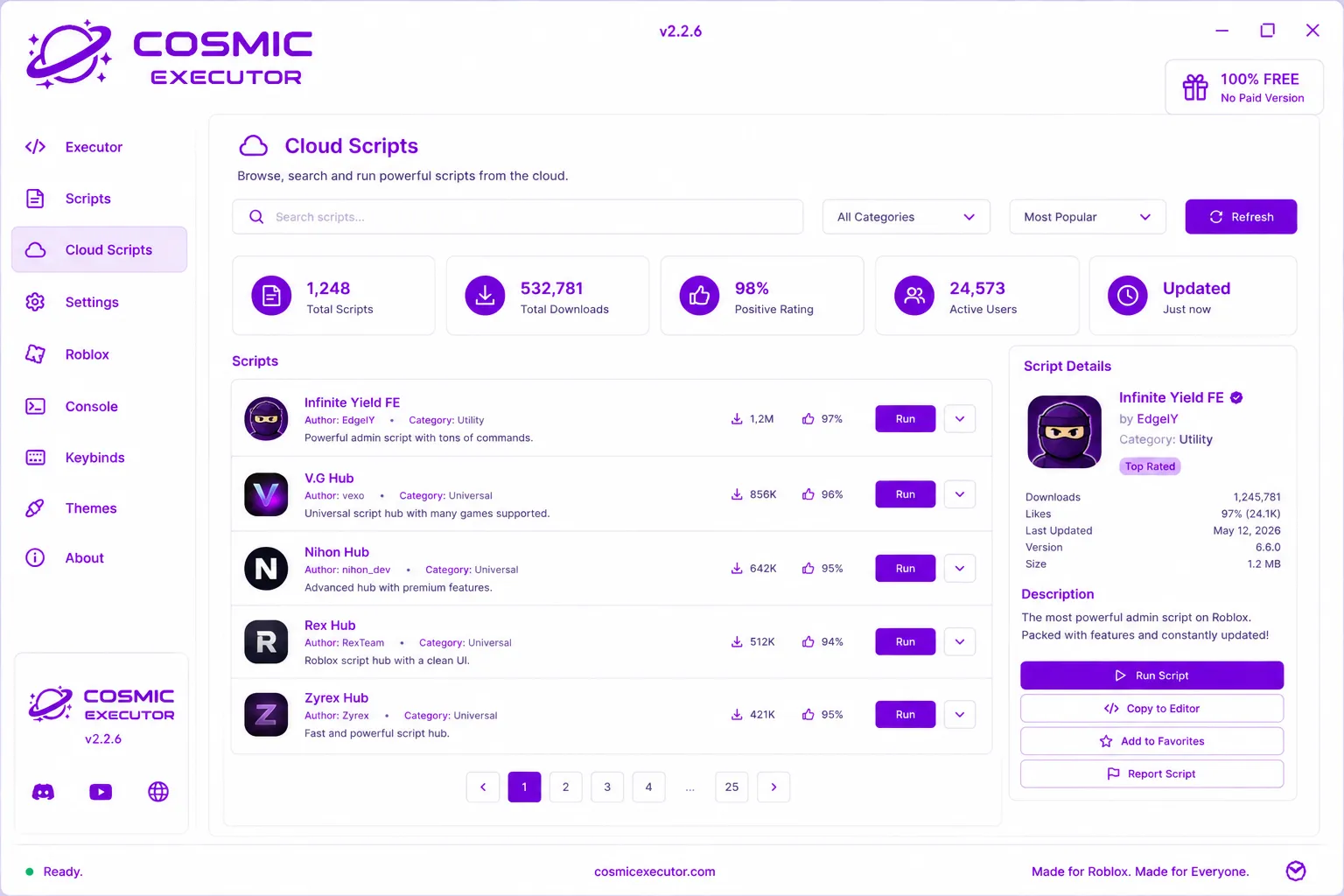
Search the built-in library, sort by rating or downloads, and run anything in one click. No shortened links, no waiting.
The loader attaches to Roblox in a couple of seconds and keeps its grip, so your scripts don't drop halfway through a game.
Map execute, inject, toggle and the console to whatever keys you like, then fire your scripts without tabbing out of the game.
Pick from Cosmic Purple, Midnight, Galactic Dark and a few more, change the accent colour, and tighten the layout if you want.
Never used an executor before? This short Cosmic Executor tutorial covers everything. If you can copy and paste, you're already most of the way there.
Grab the build for your device further down the page and run it. On Windows and Mac you might have to allow the app the first time.
Join the game you want to play, switch back to Cosmic and press Inject (or F9). Give it a second to say it worked.
Pick one from Cloud Scripts or paste your own Lua into the editor. Either way works the same.
Press Execute (or F5) and check the console. Once it says the script ran, you're done.
Same executor, four builds. Download Cosmic Executor for whichever device you're on, since the setup is a bit different on each.
This is the full desktop version. You get the whole editor, the cloud library, keybinds and themes, and it supports the widest range of games.
CosmicExecutor.exeA native APK that runs the editor and cloud scripts on your phone or tablet. Handy when you play Roblox on mobile and don't want a PC.
A signed .dmg that brings the desktop version to Mac. It's the same editor, library and keybinds you'd get on Windows.
An IPA you can sideload onto an iPhone or iPad. Install it with whatever signing tool you already use and run scripts right on iOS.
Cosmic is light. If Roblox already runs fine for you, Cosmic will too.
Cosmic runs normal LuaU, so pretty much anything you'd expect works, from admin commands to full game hubs.
Infinite Yield, FE admin suites and moderation tools with hundreds of commands.
Multi-game hubs that figure out which experience you're in and load the right module.
Farming loops, collectors and idle grinders for the games people grind the most.
ESP, camera tricks, walkspeed changes and other quality-of-life visual scripts.
Whatever you write yourself. The editor runs your own LuaU the way you'd expect it to.
Import .lua or .txt files, keep them in your library, and run them again with one click.
Cosmic is built to stay stable against the common client-side protections. What works depends on the specific game, and it changes as games update.
Green means it's handled right now. Amber means it depends on the game you're in. No executor can promise you'll never get banned, so use an account you don't mind losing.
Click a line to open it and grab the loadstring. This is a taste of the Cloud Scripts tab inside the app.
Click a version to see the notes. Newest is up top.
The build on this site is clean. No miners, no adware, no key sites you have to click through. That said, you're running an executor, so here's what's actually worth knowing before you install anything.
A lot of the Cosmic Executor Reddit talk happens in the exploiting subreddits and in our Discord, where updates get tested first. A few recent posts:
Tried a bunch of executors this year and Cosmic is the first free one that injects clean every time. And it doesn't throw a key site at me.
The Android version works with no root. Had Infinite Yield running on my phone in about two minutes. Still can't believe it's free.
The editor is actually good. Tabs, highlighting, keybinds, all there. Feels like a tiny VS Code. Updates come out quick too.
These are from public community threads, shortened a bit. Double-check you're on the official site before you download anything.
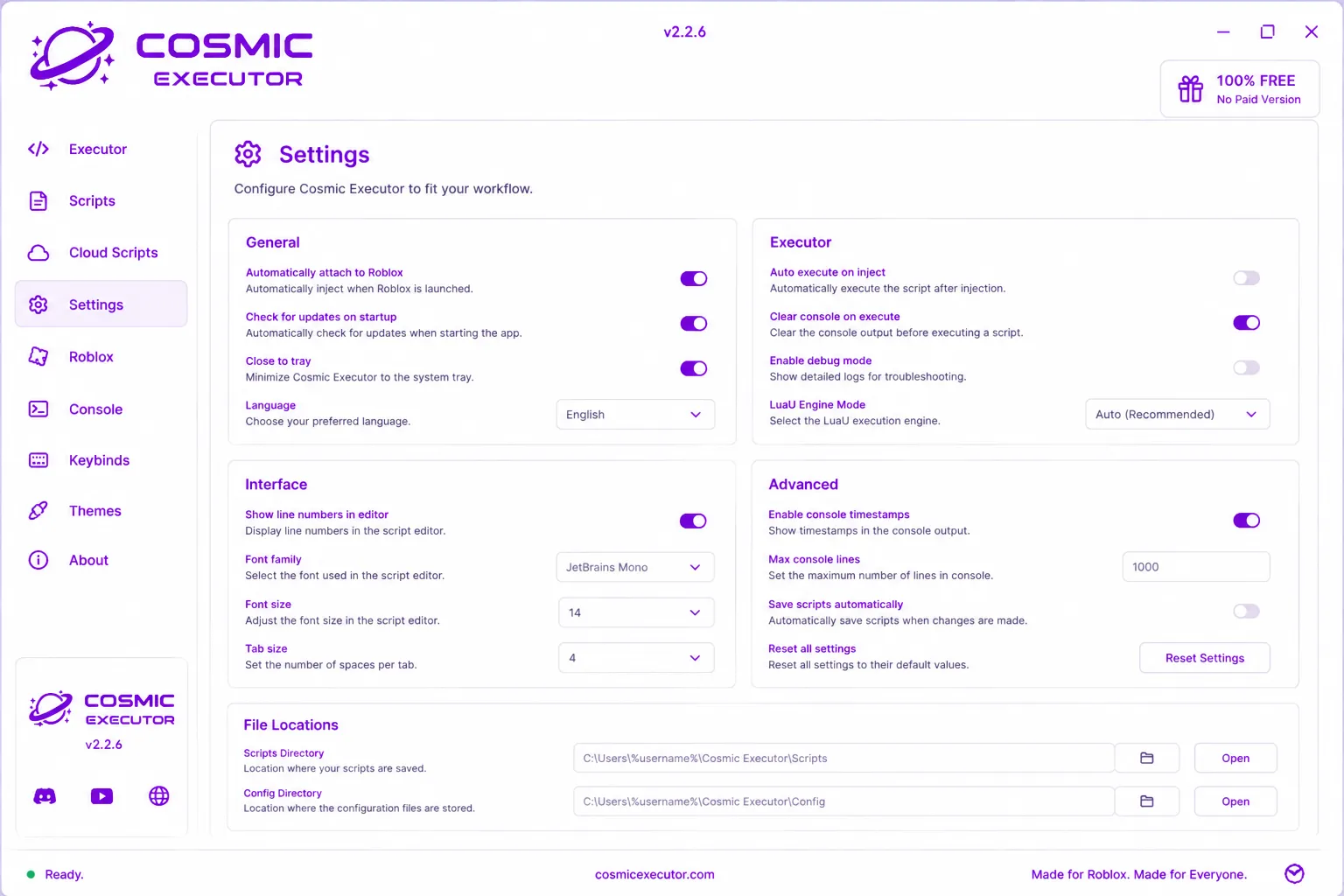
Every tab, one screenshot each. This is the real v2.2.6 build, not a mock-up.
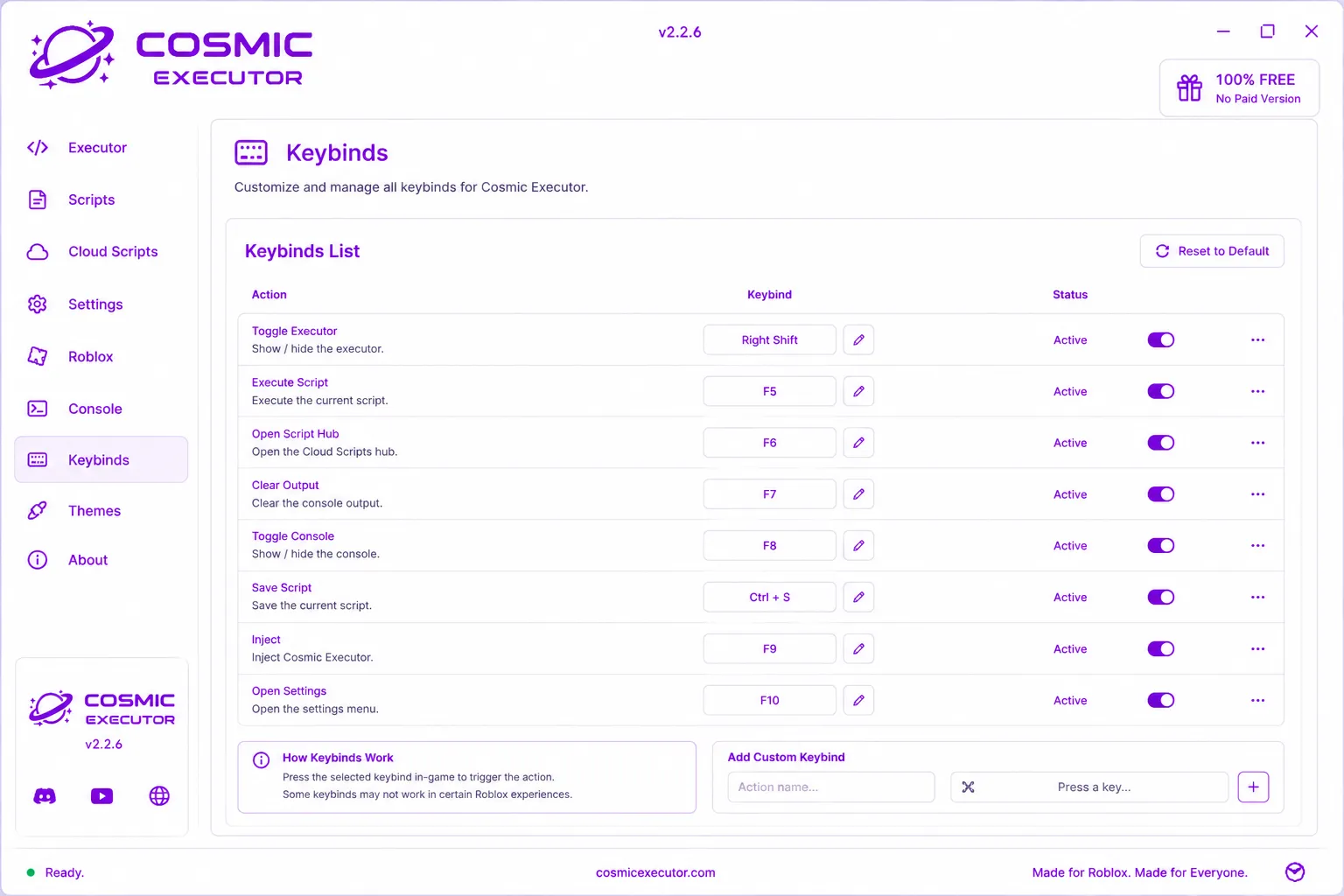
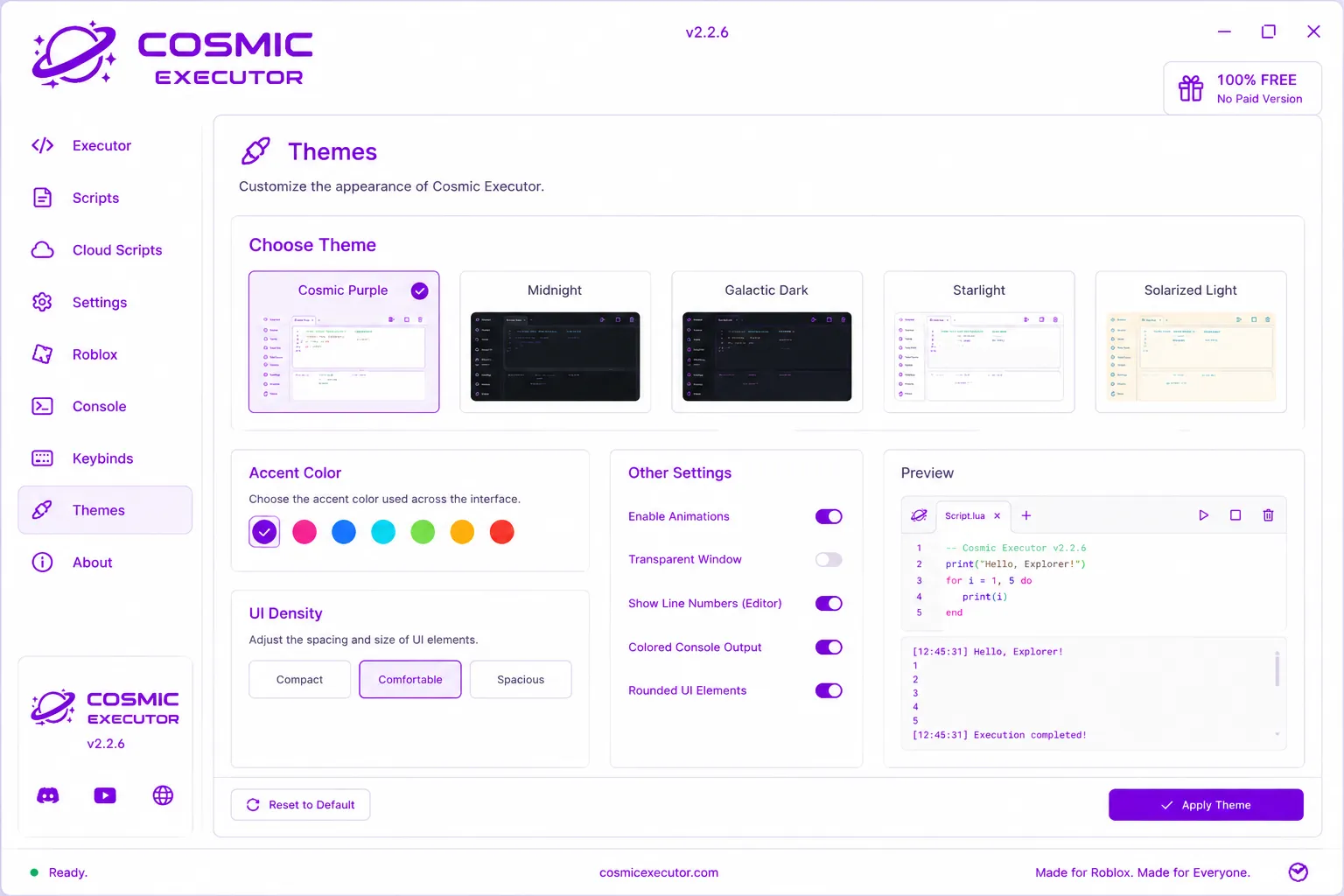
The stuff that comes up most before downloading Cosmic Executor.
The version here has no adware, no miners and no forced key sites, and it runs sandboxed. The one real risk with any executor is grabbing a fake copy, so stick to this official website. Your antivirus might flag the injector, which is expected, and the fix is to add the Cosmic folder to your exclusions rather than turning protection off entirely.
Join a Roblox game, open Cosmic, press Inject and wait for it to confirm, then paste a script or pick one from Cloud Scripts and hit Execute. The four steps higher up the page walk through it with the exact buttons and hotkeys.
Yeah, all of it. There's no premium tier, nothing locked behind a paywall and no key system. The whole idea is a solid executor that just stays free, so every feature is there from the first time you open it.
Exploiting goes against Roblox's Terms of Service, so a ban is possible with any executor, not just this one. Cosmic has anti-detection built in that cuts the risk, but nothing makes it zero, especially in games that run their own server-side checks. Safest move is to use an alt you won't be upset about losing.
They're just two names for the same thing. People say "Cosmic Exe" when they mean the Windows .exe download, and "Cosmic Exploit" when they're talking about what it does. Both point to this one Cosmic Executor project and the builds on this page.
People discuss Cosmic across the main Roblox exploiting subreddits, where you'll see update tests and script tips. Reddit is great for feedback, but be careful with download links posted there. The build on this official website is the only one we can actually vouch for.
The problems that come up most and how to sort them out quickly.
Make sure Roblox is fully loaded and you're actually inside a game, not the menu, before you inject. On Windows, run Cosmic as administrator. And if Roblox just updated, wait for Cosmic's own update to finish on launch so the bypass lines up with the new version.
For SmartScreen, click "More info" and then "Run anyway". For antivirus, add the Cosmic Executor folder to your exclusions, which is normal for injectors. Don't switch protection off completely, just exclude that one folder.
Look at the console for red errors first. Usually it's a script meant for a different game, or an old one, so try re-copying it from Cloud Scripts. Some scripts also only work once your character has fully spawned in, so give it a moment and run it again.
Delete the config folder listed under Settings, File Locations, then open it again to reset things. Check your device meets the requirements above, and make sure you're on the newest build, since old versions can break after a Roblox update.
Turn on "install unknown apps" for whatever browser or file manager you used to open the APK. If it still won't go, you probably have an older signed copy already installed, so uninstall that first and then install the fresh one.
Go to Settings, General, VPN and Device Management, and trust the profile from your signer. Sideload certificates run out after a while, so if it stops opening in a week or two, just re-sign the IPA with your tool again.
Some games grab certain keys for themselves, so pick a bind that doesn't clash. The function keys are usually a safe bet. Also check the keybind's toggle is switched on in the Keybinds tab.
Hop into the Discord and post in the help channel with your device, your Cosmic version and the exact error from the console. People there are quick to reply, and most problems turn out to be a known fix tied to a recent Roblox update.
Download Cosmic Executor free for your device and you'll be injected in under a minute.
Download Cosmic Executor